---
title: How do I book my individual room in a team block?
description: Learn how to book an individual room in a team block.
---
[Skip to content](https://help.tournkey.com/university/how-do-i-book-my-individual-room-in-a-team-block#main-content)
English
Show submenu for translations
[Support](https://help.tournkey.com/university/kb-tickets/new?hsLang=en)

- [My Tickets](https://help.tournkey.com/support)
Open main navigation
Close main navigation
- [My Tickets](https://help.tournkey.com/support)
- English
Show submenu for translations
- [Support](https://help.tournkey.com/university/kb-tickets/new)
- [Contact us](https://help.tournkey.com/knowledge/kb-tickets/new)
[Contact us](https://help.tournkey.com/knowledge/kb-tickets/new?hsLang=en)
Got a Problem? Let us help you find a solution.
- There are no suggestions because the search field is empty.
1. [Help Center](https://help.tournkey.com/university?hsLang=en)
2. [Accommodations](https://help.tournkey.com/university/accommodations?hsLang=en)
3. [Team Travel](https://help.tournkey.com/university/accommodations?hsLang=en#team-travel)
# How do I book my individual room in a team block?
## This Guide Walks You Through How To Book Your Individual Room, Once Your Coach Or Manager Has Reserved A Block
Once your manager has signed off on a room block at the hotel of your team's choice, they will send you the Individual Booking link.
Here it is, if you wish to copy and paste it: http://app.sport-travel.com/TeamLogin/Team-Login\_Input.php
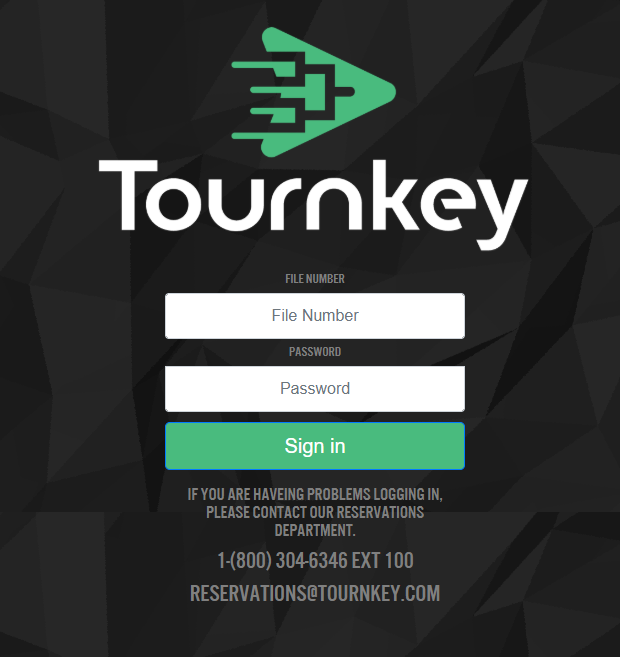
You will need the file # and the Password, which your manager should provide. Following the link and entering those details will bring you to the Team Page, where you can see who's already booked and any relevant polices listed.
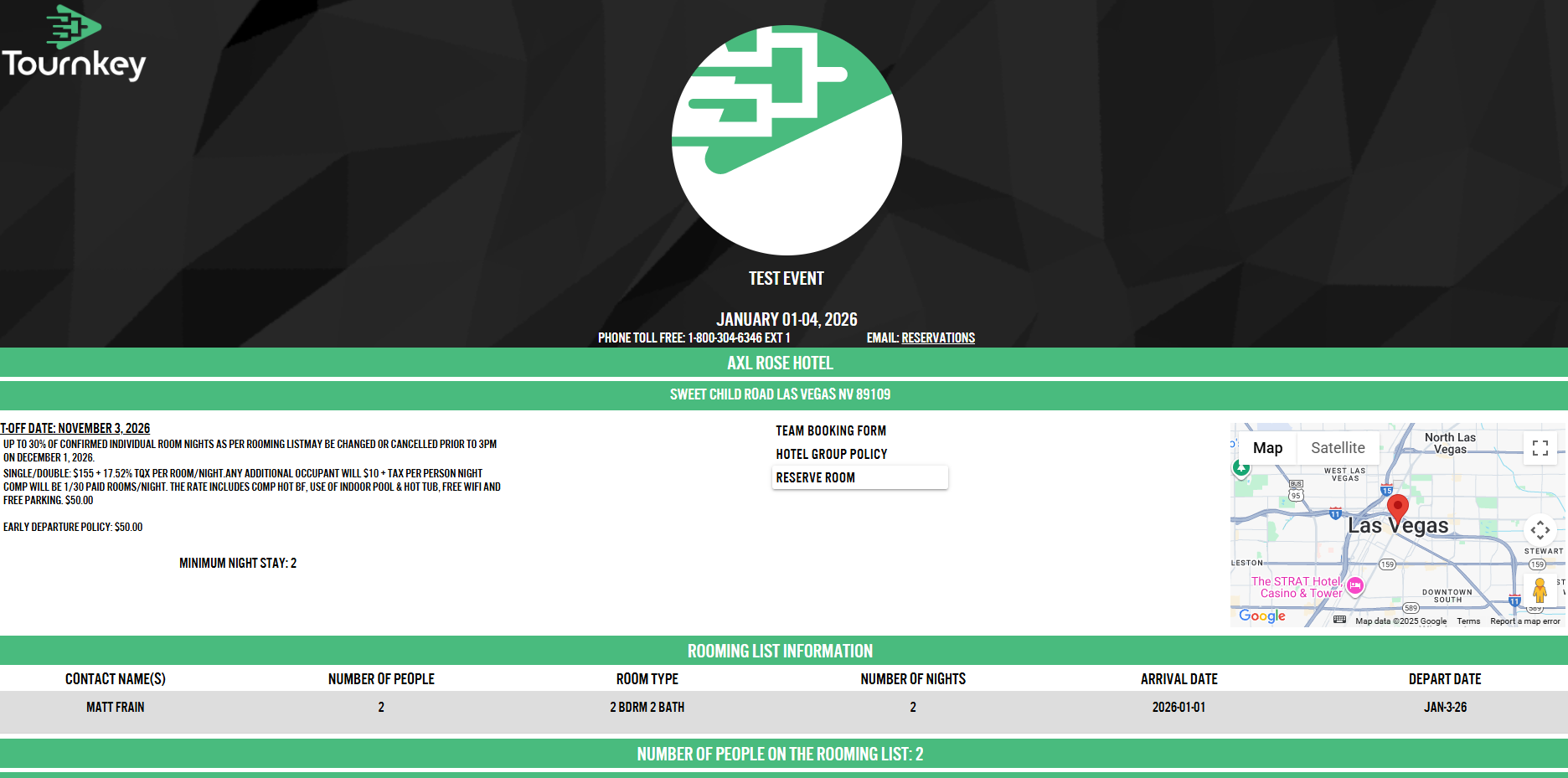
Click the 'Reserve Room' button, and this form will appear:
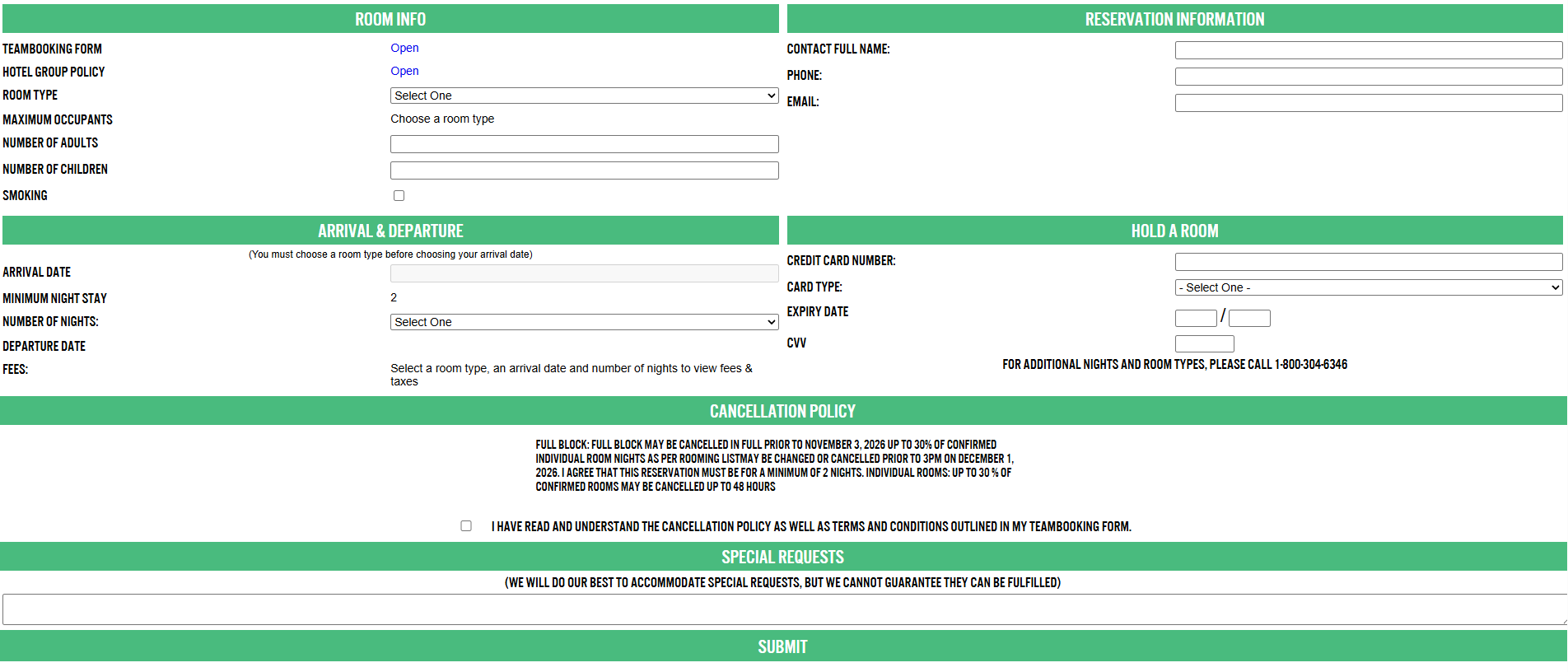
Fill out the details per the instructions and click 'Submit'. If the booking is successful, you will get the following message:
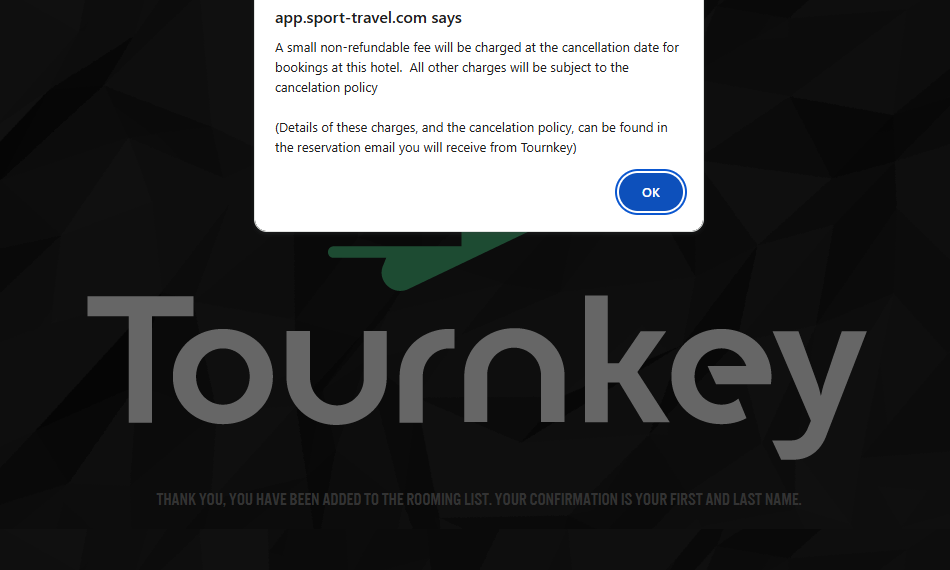
You will then receive an email with the relevant booking details. Should you subsequently need to make any changes, please send an email to reservations@tournkey.com or click on 'Contact Us' to create a Ticket - do not reach out directly to the hotel.
- [Getting Started](https://help.tournkey.com/university/getting-started?hsLang=en)
- [My Tournkey Account](https://help.tournkey.com/university/my-tournkey-account?hsLang=en#main-content)
- [Getting Started](https://help.tournkey.com/university/my-tournkey-account?hsLang=en#getting-started)
- [Waivers & Contracts](https://help.tournkey.com/university/my-tournkey-account?hsLang=en#waivers-contracts)
- [Profile](https://help.tournkey.com/university/my-tournkey-account?hsLang=en#profile)
- [Team App](https://help.tournkey.com/university/team-app?hsLang=en#main-content)
- [Payment](https://help.tournkey.com/university/team-app?hsLang=en#payment)
- [Team Details](https://help.tournkey.com/university/team-app?hsLang=en#team-details)
- [Registration](https://help.tournkey.com/university/team-app?hsLang=en#registration)
- [Hotels & Travel Support](https://help.tournkey.com/university/team-app?hsLang=en#hotels-travel-support)
- [Accommodations](https://help.tournkey.com/university/accommodations?hsLang=en#main-content)
- [Managing Your Team/Group Travel](https://help.tournkey.com/university/accommodations?hsLang=en#managing-your-team-group-travel)
- [Support](https://help.tournkey.com/university/accommodations?hsLang=en#support)
- [Collegiate](https://help.tournkey.com/university/accommodations?hsLang=en#collegiate)
- [Hoteliers](https://help.tournkey.com/university/accommodations?hsLang=en#hoteliers)
- [Payment](https://help.tournkey.com/university/accommodations?hsLang=en#payment)
- [Team Travel](https://help.tournkey.com/university/accommodations?hsLang=en#team-travel)
- [Ticketing](https://help.tournkey.com/university/ticketing?hsLang=en)
- [Organizations](https://help.tournkey.com/university/organizations?hsLang=en#main-content)
- [Account](https://help.tournkey.com/university/organizations?hsLang=en#account)
- [Point of Sale](https://help.tournkey.com/university/organizations?hsLang=en#point-of-sale)
- [Users](https://help.tournkey.com/university/organizations?hsLang=en#users)
- [Player App](https://help.tournkey.com/university/player-app?hsLang=en#main-content)
- [Teams](https://help.tournkey.com/university/player-app?hsLang=en#teams)
- [Create & Edit](https://help.tournkey.com/university/player-app?hsLang=en#create-edit)
- [Event App](https://help.tournkey.com/university/event-app?hsLang=en#main-content)
- [Payments](https://help.tournkey.com/university/event-app?hsLang=en#payments)
- [Marketing](https://help.tournkey.com/university/event-app?hsLang=en#marketing)
- [Event Setup](https://help.tournkey.com/university/event-app?hsLang=en#event-setup)
- [Registrations](https://help.tournkey.com/university/event-app?hsLang=en#registrations)
- [Travel](https://help.tournkey.com/university/event-app?hsLang=en#travel)
- [Events](https://help.tournkey.com/university/event-app?hsLang=en#events)
- [Facility Management](https://help.tournkey.com/university/event-app?hsLang=en#facility-management)
- [Marketing](https://help.tournkey.com/university/marketing?hsLang=en)
- [Volunteering](https://help.tournkey.com/university/volunteering?hsLang=en)
- [Event Tourism](https://help.tournkey.com/university/event-tourism?hsLang=en)
- [Tips & Videos](https://help.tournkey.com/university/tips-videos?hsLang=en)
[](http://www.tournkey.app)
[mailto:email@email.com](mailto:email@email.com)
Copyright © 2026, Tournkey Tournament Systems Inc.