---
title: How do I complete a volunteer registration?
description: Learn how to complete a volunteer registration with Tournkey, including step-by-step instructions for creating an account, selecting a role, submitting required details, and finalizing your application.
---
[Skip to content](https://help.tournkey.com/university/how-do-i-complete-a-volunteer-registration#main-content)
English
Show submenu for translations
[Support](https://help.tournkey.com/university/kb-tickets/new?hsLang=en)

- [My Tickets](https://help.tournkey.com/support)
Open main navigation
Close main navigation
- [My Tickets](https://help.tournkey.com/support)
- English
Show submenu for translations
- [Support](https://help.tournkey.com/university/kb-tickets/new)
- [Contact us](https://help.tournkey.com/knowledge/kb-tickets/new)
[Contact us](https://help.tournkey.com/knowledge/kb-tickets/new?hsLang=en)
Got a Problem? Let us help you find a solution.
- There are no suggestions because the search field is empty.
1. [Help Center](https://help.tournkey.com/university?hsLang=en)
2. [Volunteering](https://help.tournkey.com/university/volunteering?hsLang=en)
# How do I complete a volunteer registration?
## Congrats! You've Been Accepted To Volunteer - What's Next?
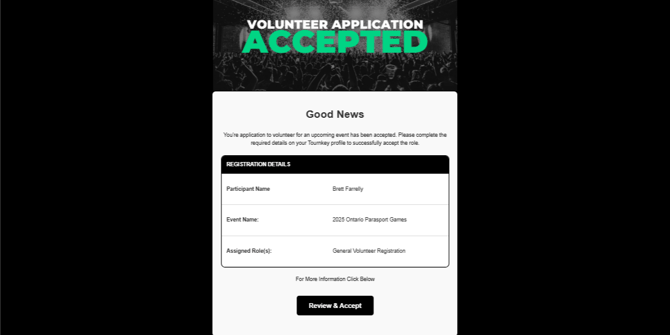
### Step 1: Check Your Email
You’ll receive an email confirming your selection. Click the link provided in the email to begin the volunteer registration process.
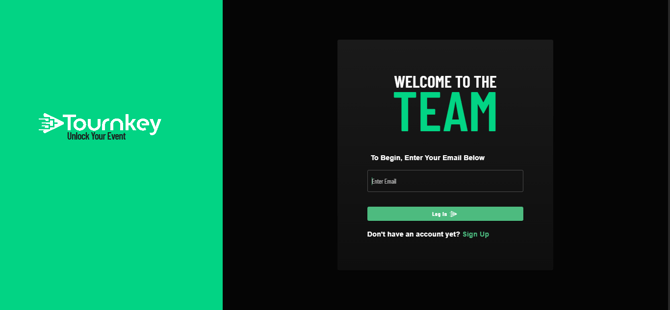
### Step 2: Sign Into Your Tournkey Account
Use your credentials to log in at [https://tournkey.app/login/](https://tournkey.app/login/)
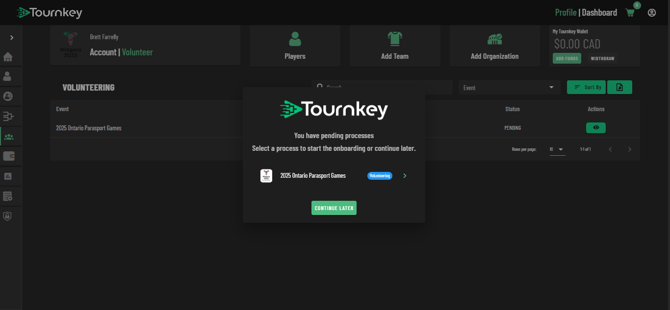
### Step 3: Select Your Event
From your dashboard, select the event you're volunteering for.
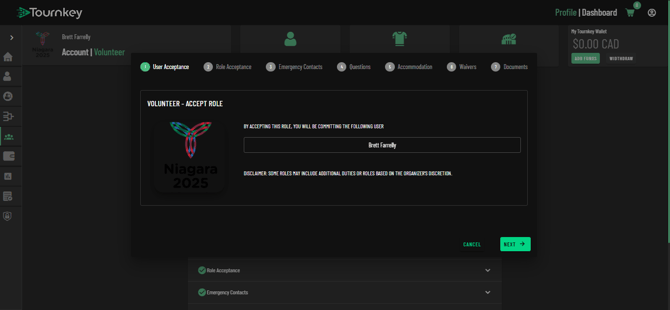
### Step 4: Confirm Your Name
Ensure your name is spelled correctly. Once confirmed, click **Next**.
### Step 5: Verify Your Role
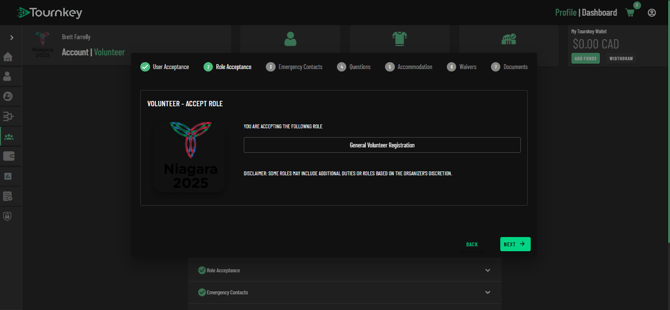
Double-check that the volunteer role listed is the one you applied for. Select Next.
> *Important:* Approvals are tied to specific roles. If the role listed is incorrect, contact the volunteer coordination team before proceeding.
>
> 
### Step 6: Add Emergency Contact Information
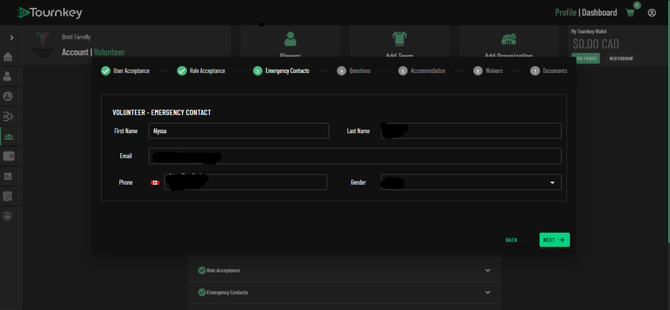
Enter the full name and phone number of your emergency contact.
### Step 7: Set Your Availability
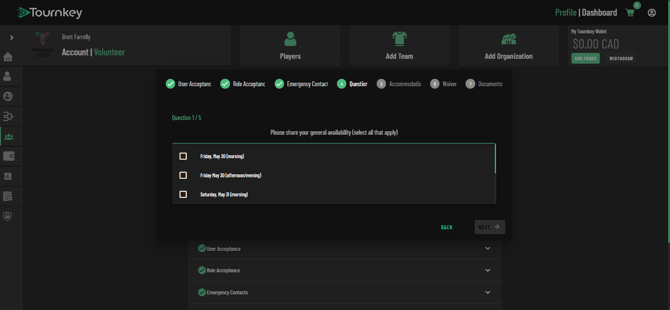
Select your availability using the dropdown menu provided. Check the box of when you are able to volunteer. After completing, select next.
### Step 8: Team Placement (Optional)
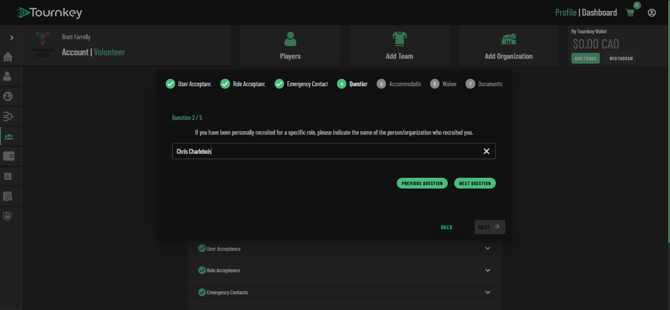
If someone recruited you and you wish to be placed on their team, enter their name here. While we can’t guarantee placement, we’ll do our best. You list NA if no one did.
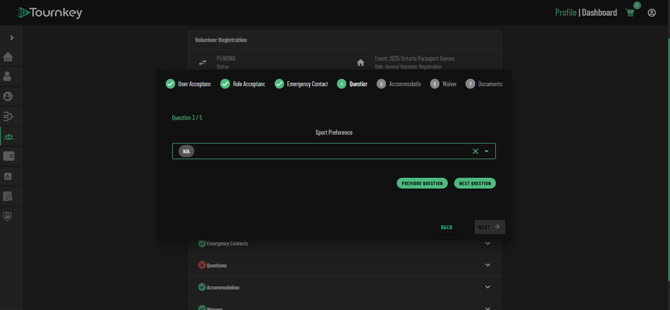
### Step 9: Choose Your Sport Preference
Select your preferred sport from the dropdown menu. For example, at the Parasport Games, options may include Boccia or Para Ice Hockey.
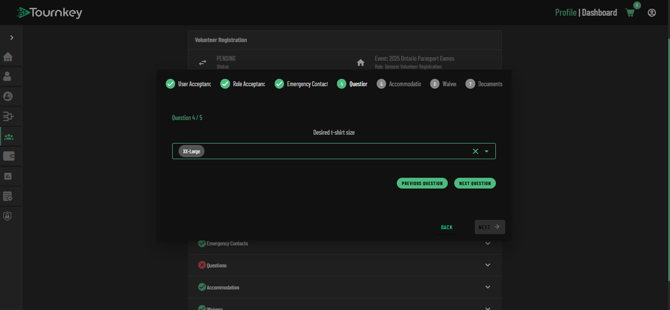
### Step 10: Select Your T-Shirt Size
Choose your preferred size from the dropdown.
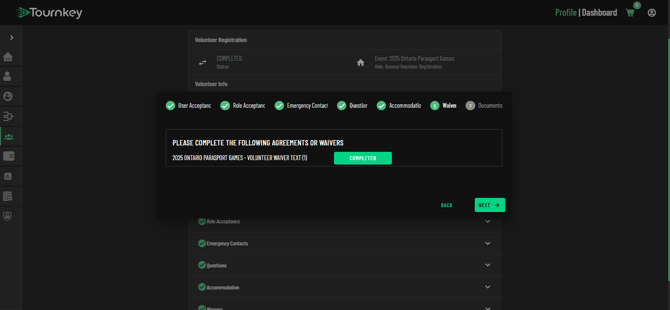
### Step 11: Read the Waiver
Click the red link to open the waiver. Use the zoom button at the top of the page if needed.
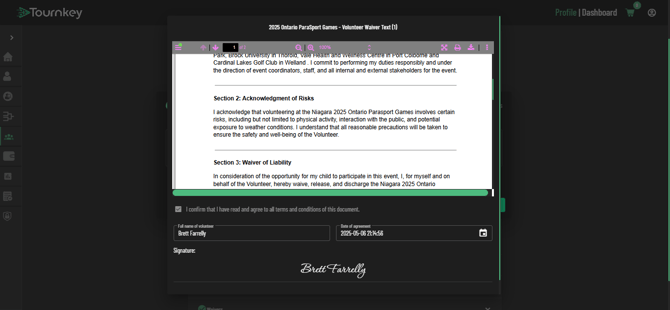
### Step 12: Sign the Waiver
Enter your name exactly as it appears on your profile to digitally sign the waiver.
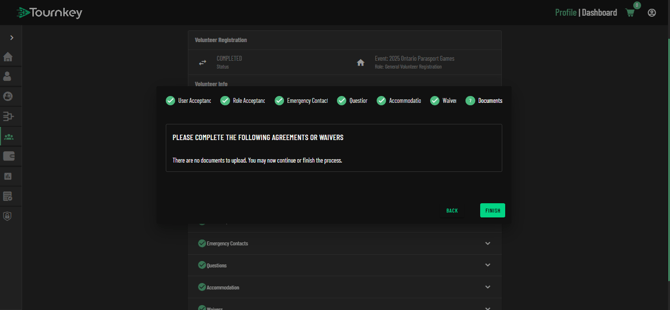
### Step 13: Finish
Click **Finish** to submit your registration.
- [Getting Started](https://help.tournkey.com/university/getting-started?hsLang=en)
- [My Tournkey Account](https://help.tournkey.com/university/my-tournkey-account?hsLang=en#main-content)
- [Getting Started](https://help.tournkey.com/university/my-tournkey-account?hsLang=en#getting-started)
- [Waivers & Contracts](https://help.tournkey.com/university/my-tournkey-account?hsLang=en#waivers-contracts)
- [Profile](https://help.tournkey.com/university/my-tournkey-account?hsLang=en#profile)
- [Team App](https://help.tournkey.com/university/team-app?hsLang=en#main-content)
- [Payment](https://help.tournkey.com/university/team-app?hsLang=en#payment)
- [Team Details](https://help.tournkey.com/university/team-app?hsLang=en#team-details)
- [Registration](https://help.tournkey.com/university/team-app?hsLang=en#registration)
- [Hotels & Travel Support](https://help.tournkey.com/university/team-app?hsLang=en#hotels-travel-support)
- [Accommodations](https://help.tournkey.com/university/accommodations?hsLang=en#main-content)
- [Managing Your Team/Group Travel](https://help.tournkey.com/university/accommodations?hsLang=en#managing-your-team-group-travel)
- [Support](https://help.tournkey.com/university/accommodations?hsLang=en#support)
- [Collegiate](https://help.tournkey.com/university/accommodations?hsLang=en#collegiate)
- [Hoteliers](https://help.tournkey.com/university/accommodations?hsLang=en#hoteliers)
- [Payment](https://help.tournkey.com/university/accommodations?hsLang=en#payment)
- [Team Travel](https://help.tournkey.com/university/accommodations?hsLang=en#team-travel)
- [Ticketing](https://help.tournkey.com/university/ticketing?hsLang=en)
- [Organizations](https://help.tournkey.com/university/organizations?hsLang=en#main-content)
- [Account](https://help.tournkey.com/university/organizations?hsLang=en#account)
- [Point of Sale](https://help.tournkey.com/university/organizations?hsLang=en#point-of-sale)
- [Users](https://help.tournkey.com/university/organizations?hsLang=en#users)
- [Player App](https://help.tournkey.com/university/player-app?hsLang=en#main-content)
- [Teams](https://help.tournkey.com/university/player-app?hsLang=en#teams)
- [Create & Edit](https://help.tournkey.com/university/player-app?hsLang=en#create-edit)
- [Event App](https://help.tournkey.com/university/event-app?hsLang=en#main-content)
- [Payments](https://help.tournkey.com/university/event-app?hsLang=en#payments)
- [Marketing](https://help.tournkey.com/university/event-app?hsLang=en#marketing)
- [Event Setup](https://help.tournkey.com/university/event-app?hsLang=en#event-setup)
- [Registrations](https://help.tournkey.com/university/event-app?hsLang=en#registrations)
- [Travel](https://help.tournkey.com/university/event-app?hsLang=en#travel)
- [Events](https://help.tournkey.com/university/event-app?hsLang=en#events)
- [Facility Management](https://help.tournkey.com/university/event-app?hsLang=en#facility-management)
- [Marketing](https://help.tournkey.com/university/marketing?hsLang=en)
- [Volunteering](https://help.tournkey.com/university/volunteering?hsLang=en)
- [Event Tourism](https://help.tournkey.com/university/event-tourism?hsLang=en)
- [Tips & Videos](https://help.tournkey.com/university/tips-videos?hsLang=en)
[](http://www.tournkey.app)
[mailto:email@email.com](mailto:email@email.com)
Copyright © 2026, Tournkey Tournament Systems Inc.
[Knowledge Base Home](https://help.tournkey.com/knowledge?hsLang=en) [Support](https://help.tournkey.com/knowledge/kb-tickets/new?hsLang=en) [Book a Demo](https://tournkey.com/demo/) [Blog](https://blog.tournkey.com/?hsLang=en)
© Tournkey. All rights reserved.