
1. Once you have registered for a tournament or event, navigate to Tournkey's list of hotels. You should find your event-specific link in one of the following places:
i. The Tournkey App. Within your event, click on the 'Hotel' button
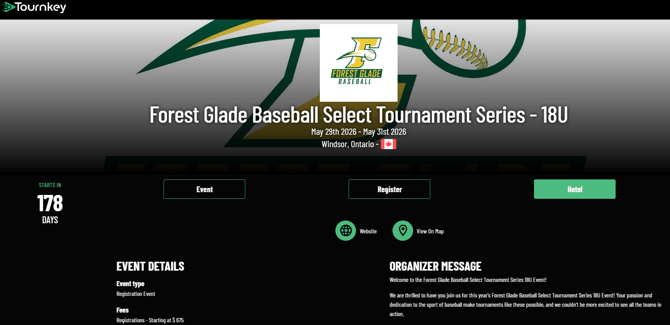
ii. The tournament website, if not being hosted on the Tournkey app. Or you can reach out directly to the tournament convenor.
iii. By clicking the 'Contact Us' button at the top of this screen and filling out the Ticket form, stating which event's hotel booking link you need.
iv. By contacting us at teamsupport@tournkey.com and stating which event's hotel booking link you need.
2. When you arrive at the list of hotel options, look through it to identify your top choices, paying attention to the following:
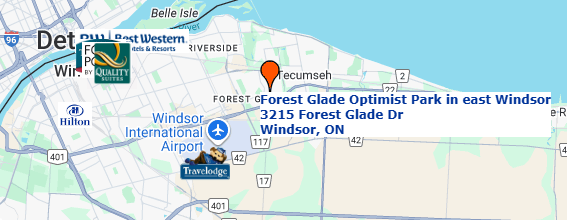
- Location. The map at the top of the page shows where the hotels are in relation to the event venue(s).
- Room types available, rates and amenities. Free breakfast, free parking, a pool on-site are all examples of amenities which can add significant value to the stay, beyond the advertised rate. If your team is mostly made up of larger families, you might want to look for hotels with suites, such as QQ+p/o (2 queen beds plus a pullout, for a maximum occupancy of 5 or 6.)
3. Having made your choice, click on 'Request Rooms' under the picture of the hotel representing your first choice.

4. Fill out the form and click 'Submit'. That generates a request for the Tournkey team to book you into the highest-ranked of your hotel choices with availability. On the rare occasion none of your choices has sufficient rooms, a member of the Tournkey team will reach out to you to go over the options.
5. Once the hotel in question has approved the request we submit on your behalf, you will be emailed detailed instructions on how to complete the reservation of your block.
This involves digitally signing the Hotel Group Policy and Team Booking Form documents. *Note you do not need to download, physically sign and attach anything - just type your name and click 'Submit'*

6. Book your own room and send the Individual Booking Link to your families to book theirs. See article: How do I book my individual room in a team block?